Final pilot testing

A smarter gate for every project you build.

S-Gate runs the gate and the community for your residential project: visitor approvals, guard and staff apps, safety alerts, and everything the society office needs. One system, on every resident's phone.

3 appsResidents, guards, staff
1 tapto approve a visitor
₹0hardware to install
The problem

The gate is the first thing residents judge.

Buyers walk through your gate on every site visit, and residents live with it every day. In most projects it still runs on registers and phone calls.

Calls that go unanswered

The guard rings the flat, nobody picks up, and a queue builds at the gate.

Paper registers

No search, no photo, and no proof of who came in when something goes wrong.

Deliveries and helpers, untracked

Maids, cooks, cabs and couriers come and go with no record the resident can see.

A messy handover

The residents' association inherits registers, complaints and guards it cannot track.

What we are building

Three apps, one system, one backend.

Each person gets an app made for their job. They all talk to the same live system.

Residents & society admins

S-Gate

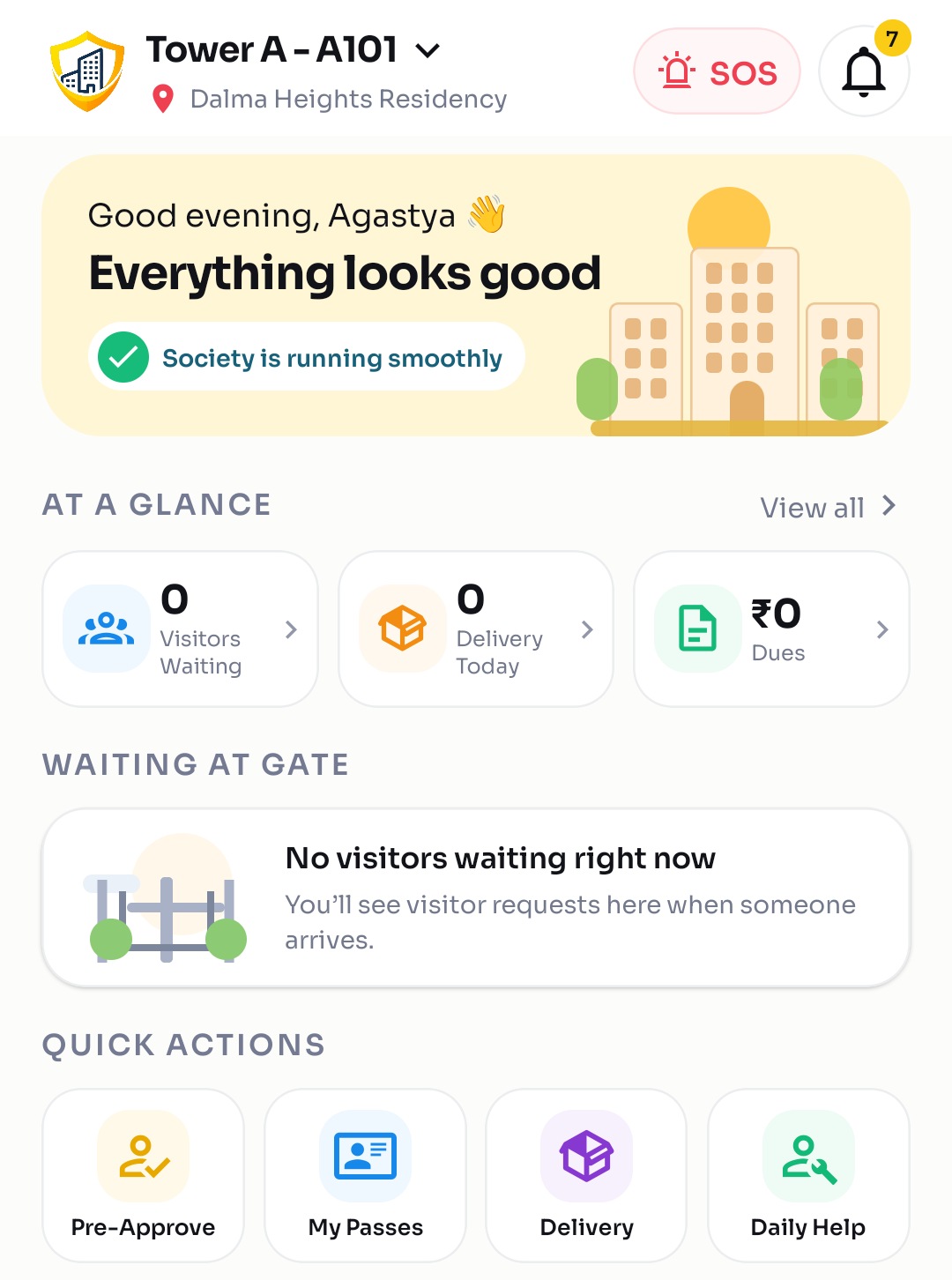
  • Approve or decline visitors in one tap
  • Pre-approve guests, cabs and deliveries
  • Notices, complaints, amenity booking
  • Family, vehicles and daily help
  • Admin tools to run the society
S-Gate resident home screen showing visitors waiting, deliveries and dues
Security guards

S-Gate Guard

  • Scan QR passes, log new visitors
  • Simple, Hindi-first screens
  • Admit only after resident approval
  • Duty works only at the gate (location check)
  • Own shift and attendance record
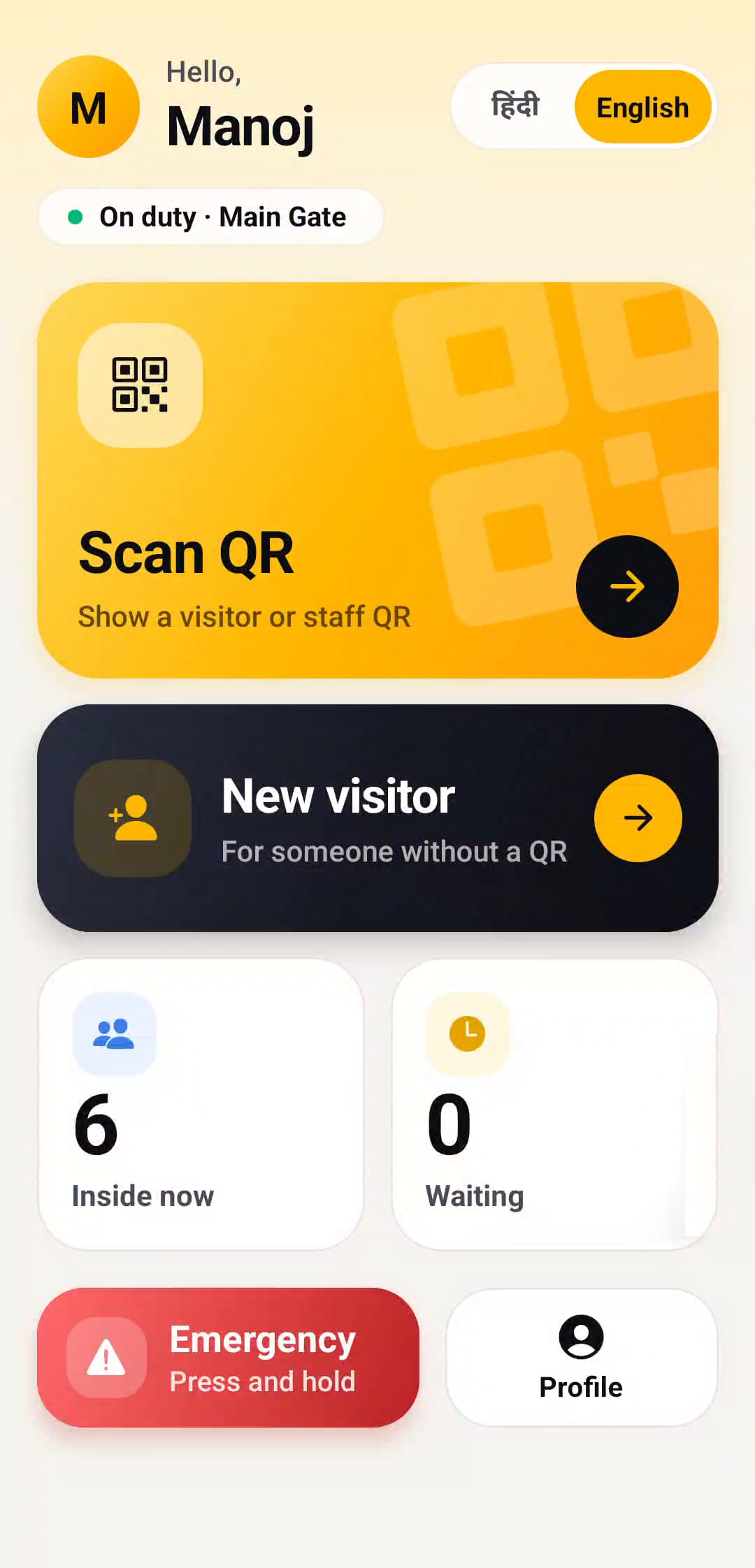
S-Gate Guard home screen with Scan QR and New visitor
Domestic staff & vendors

S-Gate Staff

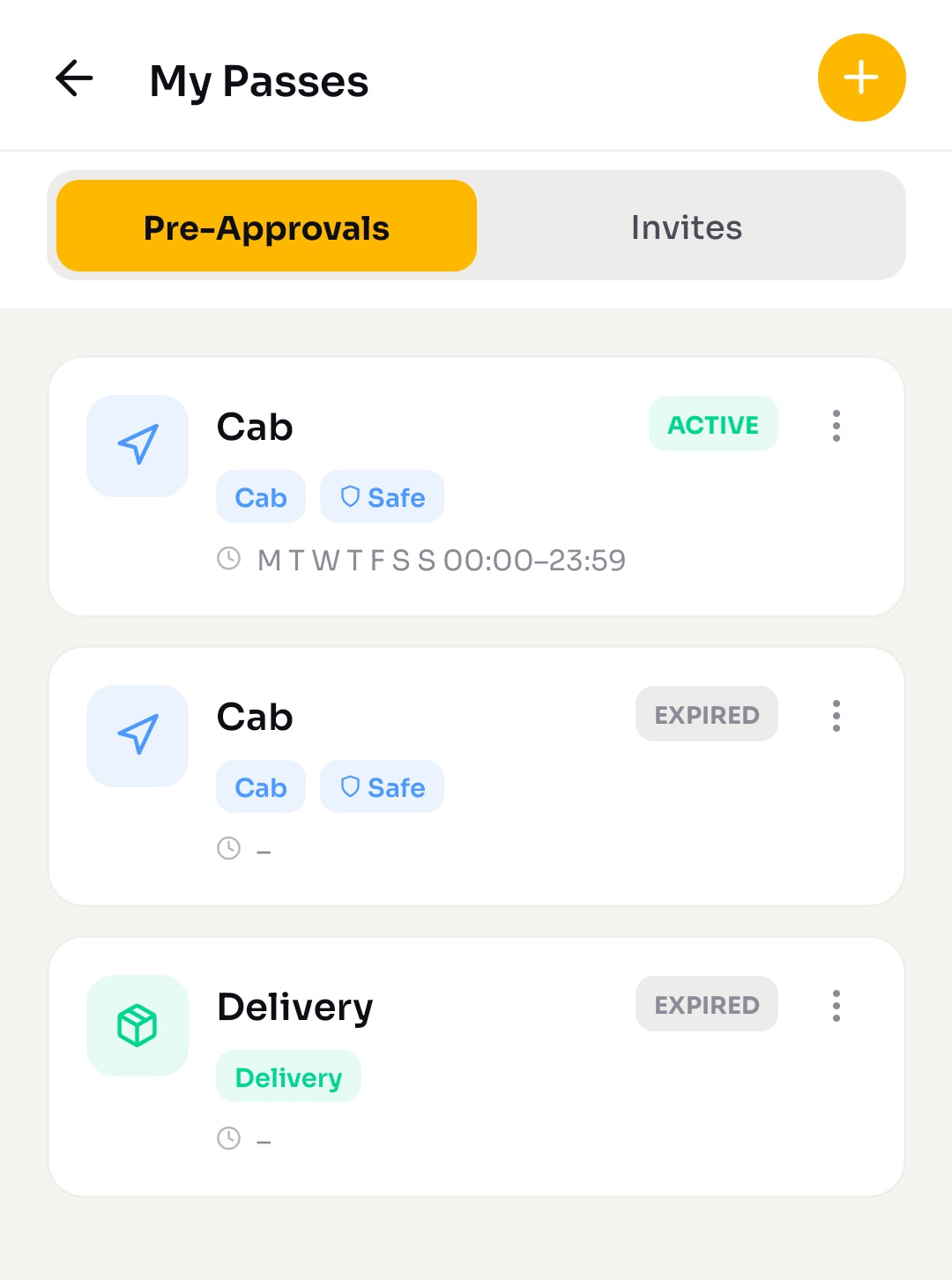
  • QR gate pass on their own phone
  • Schedule of the flats they serve
  • Work requests from residents
  • Phone-OTP login, no passwords
S-Gate passes screen
How a visit works

Nobody gets in without the resident's say.

The resident's approval is the permission. The guard admits only after it.

Visitor arrives

Guard opens a new entry, or scans a pre-approved QR pass.

Guard records

Name, purpose, flat, and a photo when needed.

Resident decides

Instant alert on the phone: allow or decline.

Guard admits

Entry goes through the gate queue and is logged.

History kept

Residents and admins can search every entry later.

Faster for regulars. Pre-approved guests, cabs, deliveries and regular helpers skip the wait: they show a pass at the gate and walk in. A delivery waiting more than 15 minutes prompts the guard to poke or call the flat.

Real screens

Built for guards who are not tech people.

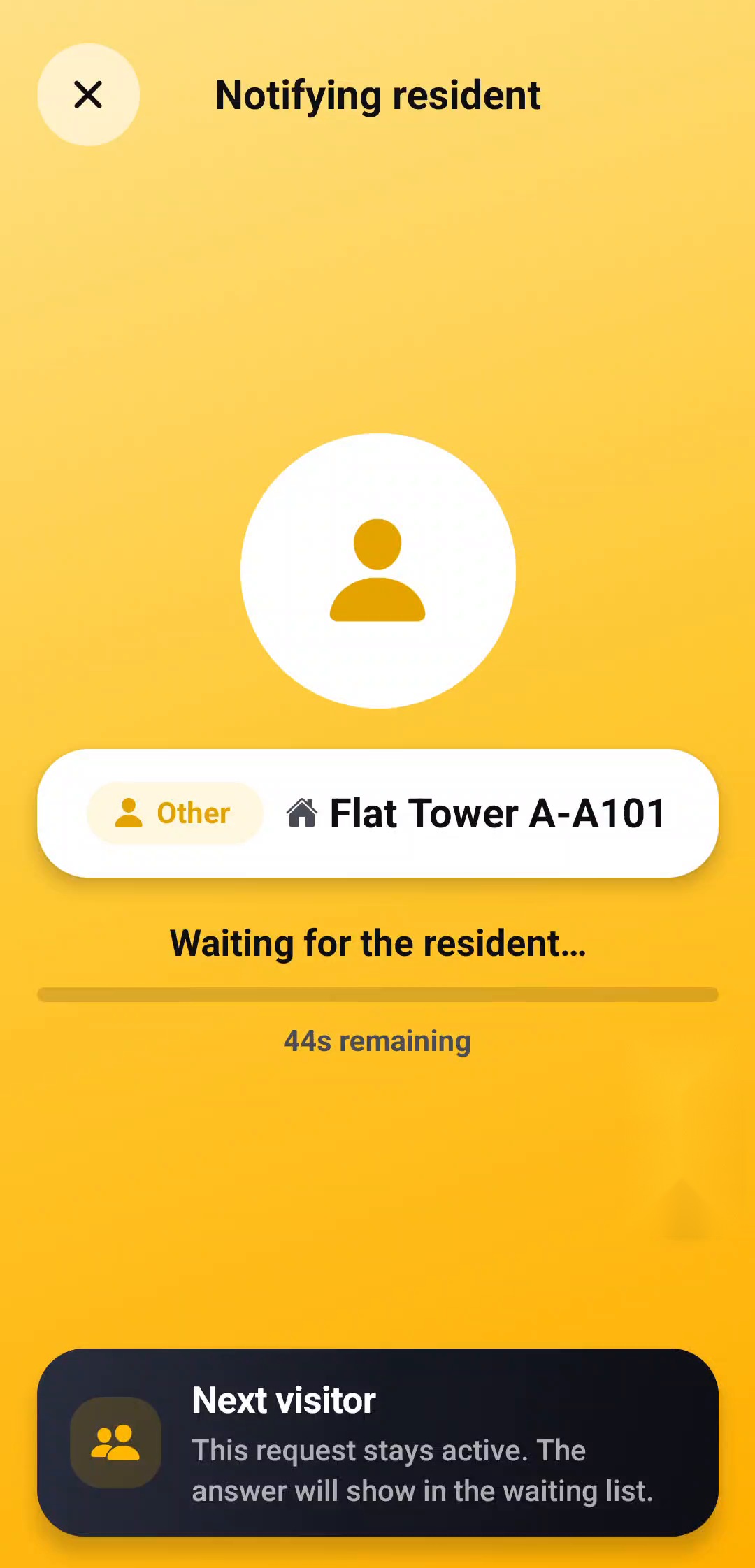
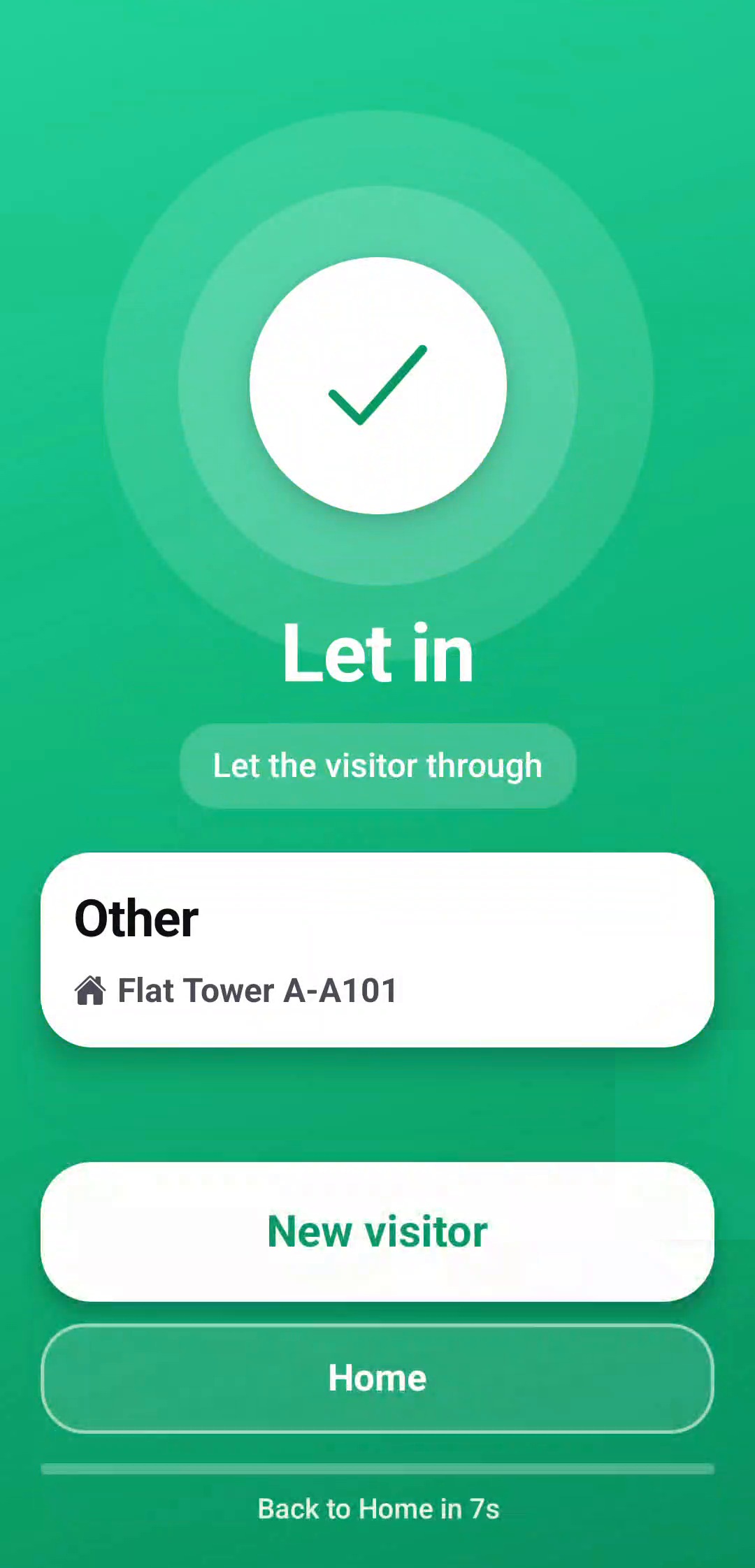
Real screens from the guard app: simple, big buttons, and nobody is let in until the resident approves.

Guard home screen
Scan or logScan a QR pass, or add a new visitor
Guard waiting for the resident to decide
Guard waitsLive countdown while the resident decides
Guard let-in screen after approval
Let inAppears only after approval

Scan to verify

Guards scan a QR code to verify a visitor or staff pass.

Instant alerts

Residents are notified instantly and answer on their phone.

Duty at the gate

Guard duty starts only at the gate (location check), with a shift and attendance record.

Safety

Safety is never an upgrade.

Emergency and women-safety alerts are built in, never held back behind a paywall.

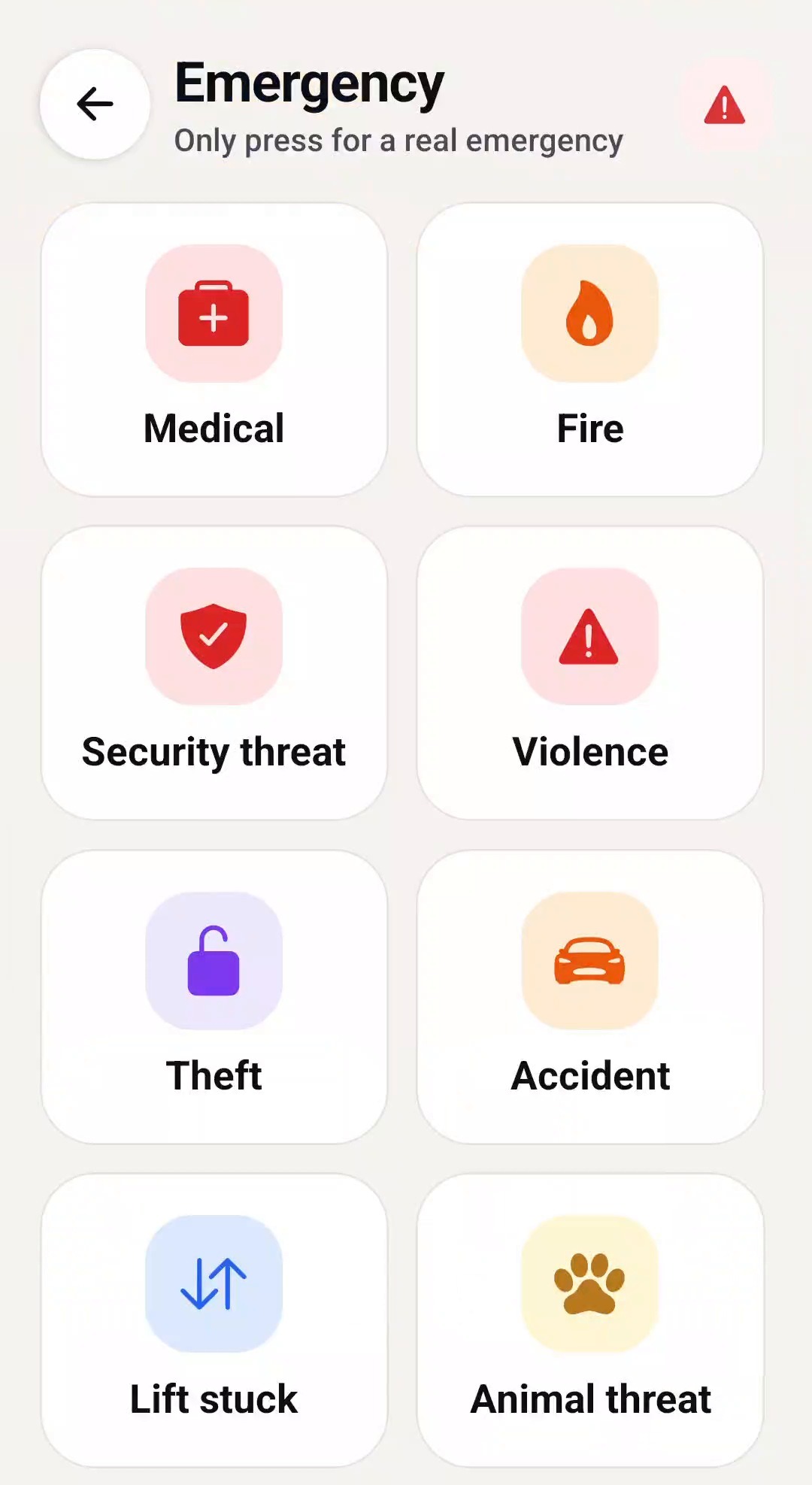
  • SOS and emergenciesMedical, fire, security, violence and more, raised from the home screen. Alerts reach residents, guards and admins, and stay on the guard's screen until resolved.
  • Guards respond on recordGuards mark "I'm responding" and "Resolved", so the committee can see what happened.
  • Private harassment alarmSilent for the person raising it. She picks the tower or common area where she is, and residents of that tower get an anonymous look-out alert. Guards and admins get the full details, a map link, a one-tap call to her, Police 112 and Women Helpline 1091.
  • Nothing is trackedLocation is read once, at the moment of sending.
For the society office

Run the whole society from a phone.

Admin tools sit inside the same app, so your facility team needs nothing else.

Resident onboarding

Residents apply by phone OTP. Admins approve, flat by flat.

Notices & broadcast

Water cuts, meetings, urgent notices pushed to every phone.

Complaints

Raised, tracked and closed, with a visible status.

Amenity booking

Clubhouse, hall and courts, with bookings in one calendar.

Dues & payments

See what is due, review and confirm payments.

Elections & documents

Run committee polls and keep society documents in one place.

Guards & staff

Shifts, attendance, and daily-help assignments by flat.

Gate setup

Gate locations and gate points for each entrance.

Reports

Entries and activity summaries for the committee.

Why builders choose S-Gate

Easier to sell. Easier to hand over.

A visible differentiator

A modern, app-run gate shows on every site visit. Buyers see what living there is like.

A cleaner handover

Residents already onboarded, guards trained, and a searchable record of everything that happened.

Fewer manual calls

Residents approve visitors themselves and complaints are tracked, so your facility desk handles less.

You stay in the loop

Your project name is on the app, and your team can see how the gate is running.

Pricing

Pricing is coming soon.

We are finalising simple per-flat pricing with no hardware and no per-visitor fees. Leave your details below and we will share it with you first.

Get notified
Rollout

We do the heavy lifting.

  1. You share the flat list, gate count and key contacts.
  2. We set up the project, towers, flats and gates.
  3. We train the guards on the gate app.
  4. Residents join with their phone number and OTP.
  5. Go-live with our team on call.

Now · in final pilot testing

Visitor and delivery approvals, guard and staff apps, pre-approvals, SOS and harassment alarm, guard attendance, notices, complaints, amenities, elections, documents, admin tools.

Next

Online payment of society dues. Named places per society (gate, towers, park) with maps for emergencies. Further changes shaped by pilot partners.

Questions

Good to know

Do we need to install any hardware?

No. Guards and residents use their own phones. There is no turnstile, boom barrier or kiosk to buy for S-Gate itself.

What if a resident does not answer?

The guard sees a live countdown while the resident decides, and "Let in" appears only after the resident approves. A delivery waiting more than 15 minutes prompts the guard to poke or call the flat.

Do guards need to know English?

The guard app is Hindi-first, with English a tap away, and the screens are kept deliberately simple.

How do residents sign in?

With their phone number and a one-time code. There are no passwords to remember.

Is the product ready?

It is in final pilot testing with early projects. Features may change as we learn from the pilot.

Next step

Let's pilot S-Gate on your next project.

A 30-minute walkthrough and a look at how S-Gate fits your flat count.